
A sawstop router table can be added to compatible SawStop table saw setups as an inline extension or used as a standalone router table with SawStop components. The right choice depends on your SawStop model, rail length, extension space, router lift fit, support hardware, and dust collection plan.
The main mistake is buying the tabletop first and discovering later that the rails, lift, motor, or support legs don’t match the setup. I’d treat this as a system purchase, not a single accessory, because the finished workstation has to stay flat, stable, reachable, and safe under real cutting pressure.
Table of Contents
SawStop Router Table Compatibility
A router table for SawStop works best when the saw, rails, extension layout, and support structure are checked before purchase. SawStop lists router table components for inline and standalone setups on its SawStop router tables page, but the plain-English rule is simple: cabinet saws with suitable rails are the easiest candidates, while jobsite saws usually need a separate benchtop or floor-stand table.
Quick Fit Answer
Yes, you can build a SawStop with router table, but the setup must match the saw’s rails and extension space. If you own a PCS or ICS with the right fence system, start with SawStop inline or cast iron components; if you own a Jobsite Saw, look at a standalone or benchtop router table instead.
The quickest shop check is to stand at the right side of the saw and look at the open extension area. If that space already feels tight with sheet goods, outfeed support, or a mobile base, an inline table may save floor space but slow down table saw work.
SawStop Saw Models
The Professional Cabinet Saw and Industrial Cabinet Saw are the common bases for a SawStop inline router table because they support larger rails and heavier accessories. Contractor Saw owners need to check the exact rail package, while Jobsite Saw and Jobsite Saw Pro owners are better served by a separate table that doesn’t overload the saw’s portable frame.
A heavy router table can change how the saw feels when you roll it, level it, or push wide stock across it. On a cabinet saw the extra mass feels planted; on a lighter platform, the same pressure can cause a slight shudder through the fence, which shows up as chatter on the routed edge.
Rails and Fence System
The T-Glide fence, rail length, extension wing, and right-side table layout decide whether an inline router table will fit cleanly. The router table may replace space normally used by the extension table, so check rip capacity before you commit.
Beginners often assume the table saw fence becomes the router fence. That can work for limited operations only if the fence face, bit opening, dust port, and feed direction are managed; a dedicated table saw fence guide helps explain why fence alignment matters so much on combined stations.
Extension Space
The extension space must hold the router top, lift plate, fence travel, dust hose, and your hands during setup. A 27-inch class top feels roomy for edge profiles, but large doors and panels still need infeed and outfeed support.
One pro workaround is to mark the router bit centerline on blue tape across the table before final positioning. That quick visual check shows whether drawer fronts, cabinet rails, or long trim will hit the saw fence rails, wall, clamp rack, or dust hose during a pass.
Inline vs Standalone
An inline setup combines the saw and router table into one footprint, while a standalone setup keeps routing independent. Inline saves space and gives broad workpiece support, but standalone makes dust collection, fence storage, and router access easier.
| Setup type | Best fit | Main advantage | Main limitation |
|---|---|---|---|
| SawStop inline router table top | PCS or compatible cabinet saw rails | Compact combined workstation | May reduce extension-table flexibility |
| SawStop cast iron router table top | Frequent routing and repeat cuts | Mass reduces vibration | Needs strong support |
| SawStop large inline router table top | Larger ICS-style setups | More surface for panels | Requires careful rail planning |
| Floor stand setup | Dedicated routing station | Independent placement | Uses more floor space |
| Universal benchtop router table | Small shops and portable saws | Lower setup burden | Less mass and table area |
SawStop Router Table Setups
The best SawStop router table setup depends on whether you value shared workspace, heavy mass, large stock support, or independent placement. Most buying mistakes happen when someone chooses the top they like before deciding how the router, fence, dust box, and support legs will live under it.
Inline Router Table Top
A SawStop inline router table mounts into the table saw extension area and turns the right side of the saw into a routing station. It suits shops where every square foot matters and where the saw already sits in the best central work position.
The trade-off is workflow. If you leave a raised panel bit in the router and then need full rip support on the saw, the fence, guard, and dust hose can feel like little speed bumps in the day instead of helpful accessories.
Cast Iron Router Table
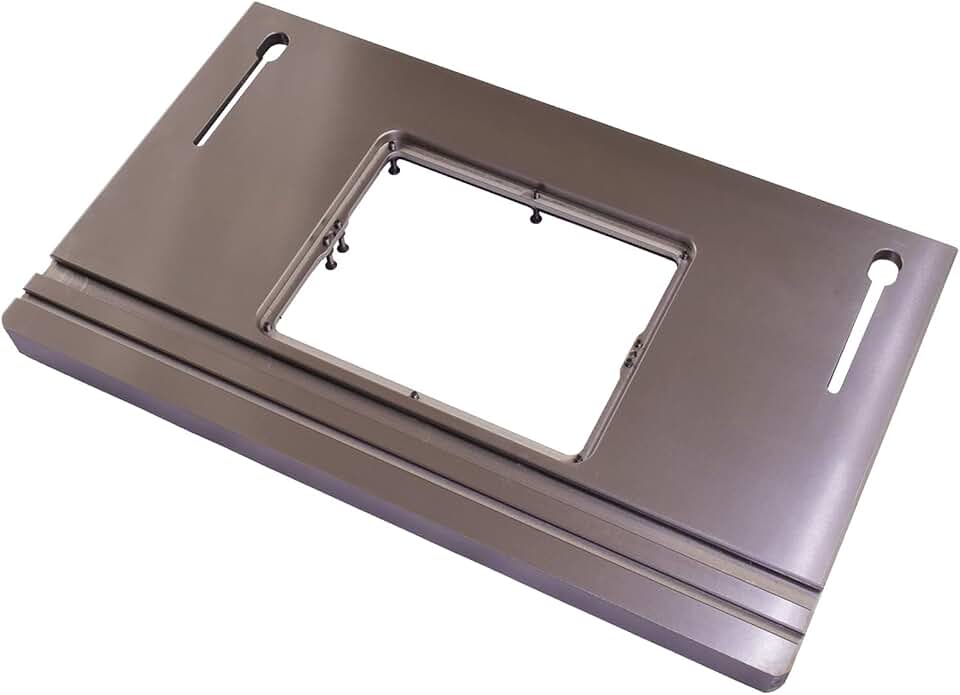
A cast iron router table adds mass, and mass helps damp vibration. The common SawStop cast iron top size is 27 inches by 16 inches, which gives a steady platform for rabbets, roundovers, door profiles, and repeat fence cuts.
Fresh cast iron feels cool, slick, and slightly waxy after a proper coat of paste wax. Keep it dry and wipe resin off before it hardens, because a small sticky patch can tug a narrow stile sideways right as it reaches the bit.
Large Inline Top
The large inline top is the better match for bigger cabinet saw setups and wide workpieces. A 30-inch width gives more contact area, which helps when routing cabinet sides, long face-frame parts, or larger template work.
Large tops need level support from the start. Don’t pull the rails into alignment with bolts alone; shim and level the support points first, then tighten hardware so the top doesn’t develop a twist you can feel when a board rocks corner to corner.
Floor Stand Setup
A floor stand setup gives the router table its own base, away from the saw’s rip fence and extension rails. This works well for shops that route often, use jigs, or need the router close to a dust collector.
The practical win is access. You can stand in front of the router, open the cabinet or dust box, change bits, adjust the lift, and clear chips without crouching under the saw rail with a wrench digging into your palm.
Universal Alternatives
A universal router table makes sense if your SawStop table saw doesn’t support a clean inline installation. Bosch, Kreg, Rockler, JessEm, Incra, Woodpeckers, and other brands offer options that may fit a small shop better than forcing an inline build.
If you’re comparing brands, use a broad router table guide to check fence quality, plate leveling, dust ports, and storage before you choose. Universal tables won’t match the SawStop ecosystem as neatly, but they can be faster to set up and easier to move.
SawStop Router Table Products
SawStop’s router table ecosystem is built from separate components, so the tabletop is only one part of the final station. Plan for the top, lift, dust box, legs or stand, router motor, fence parts, insert rings, switch, and dust hose fittings.
SawStop Components
These SawStop components cover the common inline, cast iron, large inline, lift, dust, stand, and support-leg choices.

Inline Router Table Top
- Provides a stable work surface for precise routing
- fits SawStop inline setups for easy integration
- durable construction supports smooth, accurate cuts
- spacious 27 inch design boosts control on larger projects
- ideal for cleaner, safer workshop workflow
 Buy on Amazon
Cast Iron Router Table Top
- Heavy cast iron build helps reduce vibration
- wide 27 inch by 16 inch surface improves stability
- designed for smoother, more controlled routing
- sturdy platform supports accurate repeat cuts
- great upgrade for serious woodworking setups
Buy on Amazon

Large Inline Router Table Top
- Built for SawStop ICS inline router table setups
- 30 inch width gives you extra working room
- solid surface helps maintain accuracy and control
- supports cleaner routing on bigger pieces
- made for dependable shop performance
Buy on Amazon

Four-Post Router Lift
- Four-post design delivers stable, precise height adjustments
- lock system helps keep settings secure
- makes bit changes and setup easier
- improves control for detailed routing work
- built for smooth, repeatable performance
Buy on Amazon
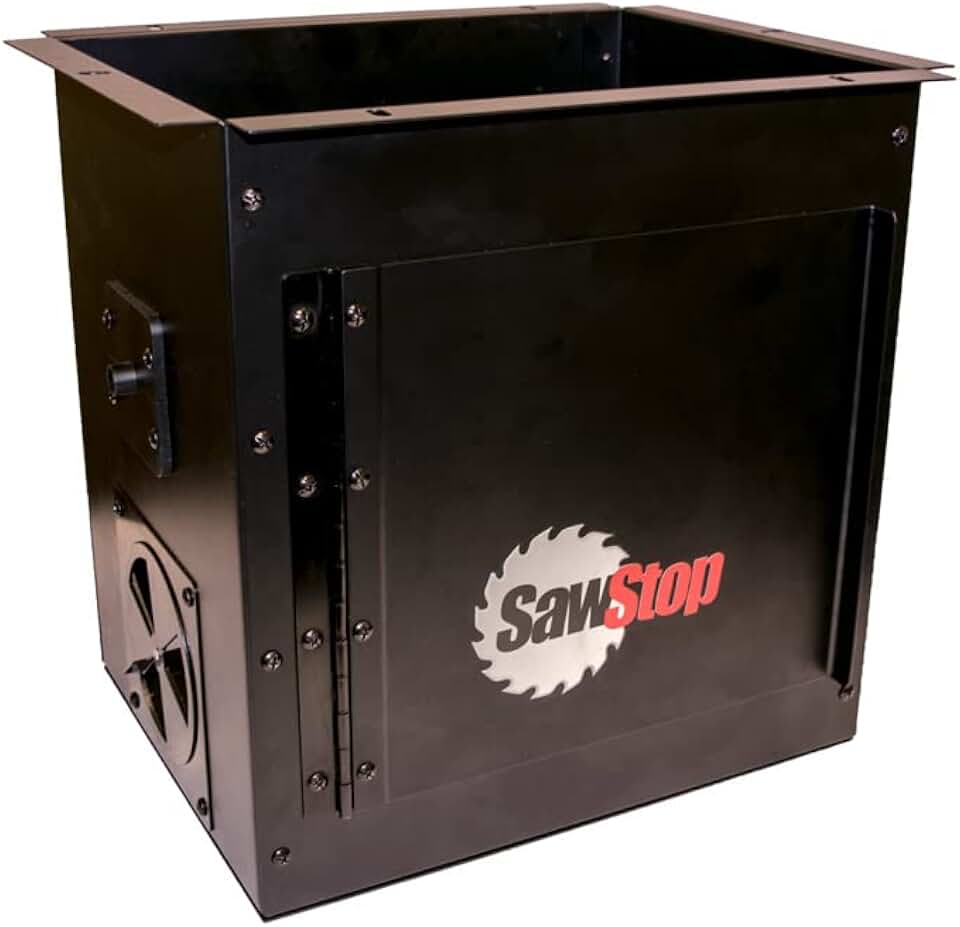
Dust Collection Box
- Helps capture dust right at the router
- supports a cleaner, healthier work area
- designed to fit with router lift setups
- improves visibility while cutting
- makes cleanup faster and easier
Buy on Amazon

Router Table Floor Stand
- Provides a sturdy base for your router table
- helps improve stability during routing tasks
- floor stand design saves bench space
- supports more comfortable working height
- ideal for organized shop setups
Buy on Amazon

Router Table Support Legs
- Adds extra support to inline router tables
- helps reduce movement for better precision
- sturdy leg design improves overall stability
- useful for larger or heavier setups
- makes your workstation feel more secure
Buy on Amazon
The smart purchase order is top, support, lift, then dust collection. Buying the lift before confirming the plate opening and router motor diameter can leave you with a beautiful mechanism that won’t accept your motor without adapters.
Universal Router Tables
These universal router tables fit buyers who own a smaller SawStop, rent workspace, or don’t want routing accessories attached to the saw.

Bosch Benchtop Router Table
- Compact benchtop design fits smaller workshops
- easy to set up and use
- offers a stable platform for routing projects
- helps improve cut accuracy and control
- a practical choice for everyday woodworking
Buy on Amazon

Trim Router Table
- Compact table made for trim router work
- high visibility bit guard improves safety and control
- adjustable design supports versatile use
- pre-drilled holes make setup easier
- great for detailed woodworking tasks
Buy on Amazon

Universal Router Table
- Universal design fits many router models
- offers a stable surface for accurate cuts
- easy-to-use setup suits home workshops
- helps improve control on edge work
- a practical pick for everyday routing
Buy on Amazon
A benchtop table won’t feel like a cast iron SawStop setup, but it can still cut clean profiles with sharp bits and shallow passes. The weak spots are usually fence stiffness, plate flatness, and dust pickup, not the brand name on the front.
Router Lift and Accessories
A SawStop router lift is not mandatory for every router table, but it’s the accessory that most changes daily use. Above-table adjustment saves time, improves repeatability, and keeps you from reaching under a dusty table to make tiny height changes.
Router Lift Benefits
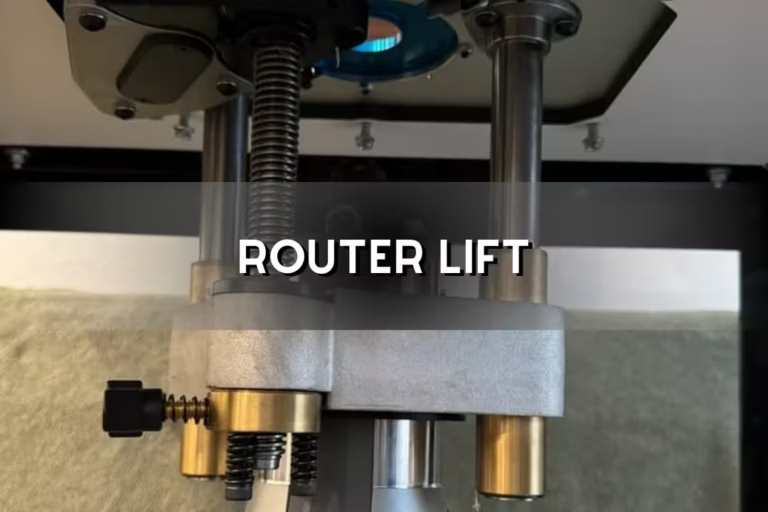
A four-post router lift supports the router motor evenly and reduces racking during height changes. That matters when you’re sneaking up on a cope-and-stick profile, because a quarter turn too high can ruin the reveal across a whole set of doors.
The real comfort gain is above-table bit changing. Instead of kneeling in chips and feeling for a collet nut by touch, you work from the top where the bit, insert ring, and wrench position are visible.
Motor Compatibility
Router lift compatibility depends on the router motor diameter, body style, collet access, and whether the motor can be removed from its fixed base. Many lifts target common full-size fixed-base motors, not small trim routers or plunge-only bases.
Check speed control too. Large raised-panel bits need lower RPM than small roundover bits, so a variable-speed motor is safer and leaves a cleaner cut with less burning.
Required Accessories
A working router table setup needs a top, router or motor, lift or mounting plate, fence, insert rings, power switch, dust connection, and support structure. For inline SawStop builds, support legs are often the quiet hero because they keep the table from sagging after months of use.
For deeper comparisons, a dedicated router lift guide can help you compare plate sizes, micro-adjusters, locks, and motor clamps before you buy. The beginner mistake is assuming all lifts drop into all router tables.
Optional Upgrades
Useful upgrades include featherboards, push blocks, a coping sled, miter gauge, bit storage, extra insert rings, and a large paddle switch. These parts don’t look exciting, but they control the cut and keep hands away from the bit path.
I like featherboards that lock quickly and don’t flex under side pressure. Cheap featherboards can squeak, shift, and leave a faint washboard texture on long edges because the stock drifts during the pass.
Installation and Fitment
SawStop router table installation is mostly about measuring, leveling, and keeping the lift plate flush with the surrounding surface. The job gets much easier if you dry-fit every part before tightening rails, legs, or dust-box hardware.
Pre-Purchase Measurements
Before buying, measure the saw model, rails, right-side extension space, distance from blade to rail end, shop clearance, hose path, and lift opening. Write these numbers down; guessing from a product photo is how expensive mismatches happen.
- Confirm saw model: PCS, ICS, CNS, Jobsite Saw, or Jobsite Saw Pro.
- Check rails: rail length, T-Glide fence style, and extension layout.
- Measure space: right-side opening, wall clearance, and outfeed path.
- Match the lift: plate opening, router motor diameter, and collet access.
- Plan support: legs for inline builds or a floor stand for standalone use.
- Plan dust: under-table box, fence port, hose size, and collector location.
Surface Alignment
The router table surface must sit flush with adjoining saw surfaces so stock doesn’t catch at the seam. Use a straightedge across the saw table, extension wing, router top, and lift plate, then adjust until you can’t feel a lip with your fingertip.
A tiny proud corner on the lift plate feels harmless empty, but under a long board it can bump the workpiece into the bit. The workaround is to level the plate with the bit lowered, then test with the actual stock size you plan to route.
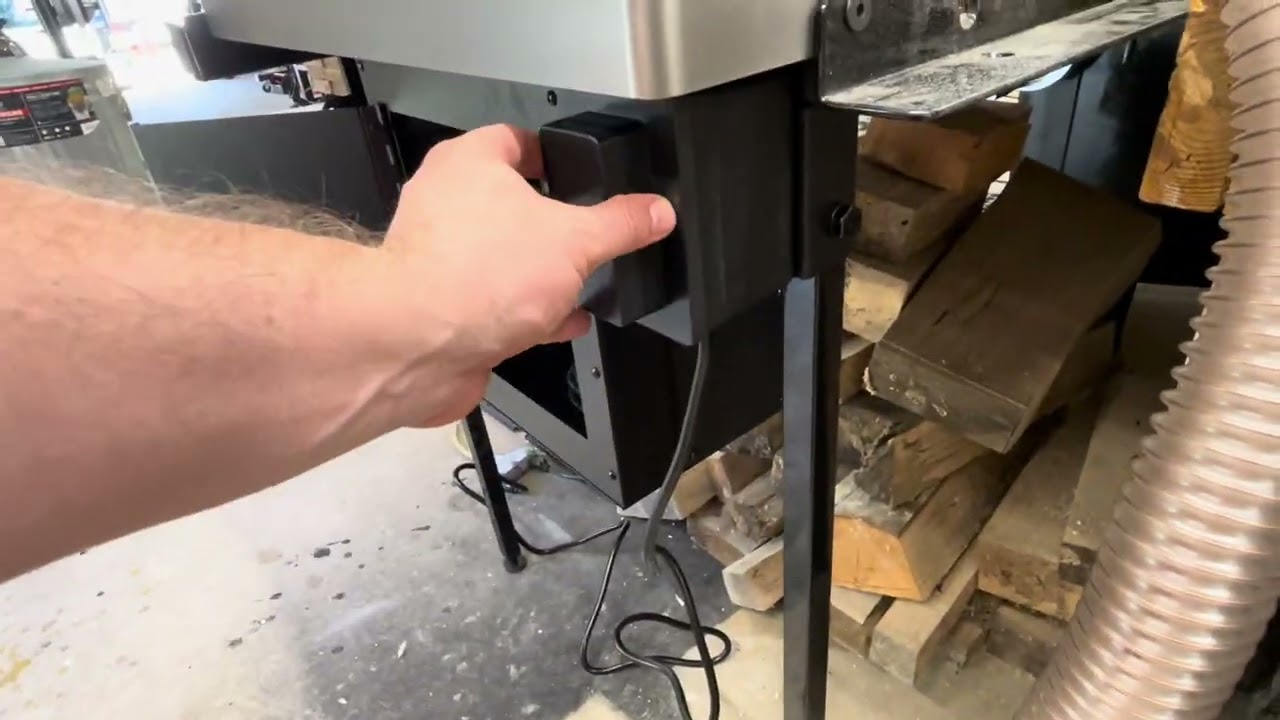
This installation video is useful because it shows the rail, top, and support relationship that product photos often hide.
Support Legs
Support legs help prevent sag, vibration, and twisting in inline router table setups. They matter most with cast iron tops, large inline tops, and shops where the saw moves on a mobile base.
Level the legs after the saw is in its normal working spot. A floor that slopes near a garage door can lift one leg off the ground, and the table may only flex when you lean into a cut.
Dust Box Clearance
A dust collection box needs space for the router motor, lift crank access, power cord, hose fitting, and airflow. If the box crowds the motor, bit changes and height adjustments become frustrating enough that people stop using the dust collection.
Dry-fit the dust box with the largest router motor you plan to use. Listen for hose rub and feel for tight cord bends, because vibration can slowly wear a cord jacket where it touches sheet metal or a sharp bracket.
Dust Collection and Safety
Router table safety depends on feed control, guarding, shallow passes, dust capture, and respect for the exposed bit. Wood dust also carries health and fire risks; OSHA’s wood dust guidance explains why dust control matters beyond cleanup.
Dust Collection Setup
The best router table dust collection uses both under-table collection around the router and above-table capture at the fence. The lower box catches chips falling off the bit; the fence port grabs the stream that shoots backward from edge profiling.
Poor airflow leaves a peppery spray of chips on your forearms and a warm dusty smell near the motor. Shorter hose runs, fewer tight elbows, sealed box gaps, and a clean filter usually improve capture more than simply buying a bigger hose.
Fence Dust Port
A router fence dust port is most effective when the fence opening closely surrounds the bit without rubbing the cutter. Wide gaps reduce suction at the cut and let chips bounce back at eye level.
Use sacrificial fence faces for large profiles or partial-edge cuts. They improve support at the bit opening and can create a tighter dust path than a wide factory throat.
SawStop Brake Clarification
The SawStop brake is designed for the table saw blade, not the router bit. A SawStop router table does not add flesh-sensing protection to routing, so treat the router bit like any exposed high-speed cutter.
This point matters because beginners sometimes relax around a SawStop-branded station. Keep guards, push blocks, featherboards, and a reachable power switch in use, because the router will not drop under the table when skin contacts the bit.
Router Table Safety
Safe routing starts with correct feed direction, shallow passes, a locked fence, a locked lift, and hands kept out of the bit path. Feed against the bit rotation so the cutter doesn’t grab the work and pull it forward.
The biggest cut-quality and safety mistake is taking one deep pass to save time. Make multiple light passes instead; the sound drops from a harsh shriek to a cleaner steady pitch, and the edge comes off cooler with fewer burn marks.
Cost and Buying Checklist
The true SawStop router table cost includes more than the tabletop. Budget for the router lift, router motor, support legs or stand, dust box, hoses, fence accessories, insert rings, switch, featherboards, and shipping for heavy parts.
Full System Cost
A complete system often lands in a higher cost band because several parts must work together. The hidden costs are usually dust fittings, lift compatibility, support hardware, and a router motor that fits table use better than the handheld router already in the drawer.
Plan the full bill before ordering. If the budget gets tight, prioritize a flat top, safe fence, good support, and dust capture before cosmetic upgrades or specialty jigs.
Inline Setup
An inline setup can save floor space, but it may require support legs, rail hardware, a lift, and dust management parts. It’s a good buy when the saw already sits where you like to route and the right-side extension is not heavily used for ripping sheet goods.
The best workaround for budget creep is staging the build. Install the top and support correctly first, then add the lift and dust upgrades once you know the station position works in daily use.
Cast Iron Setup
A cast iron setup costs more to ship and support, but it pays back in stability for frequent routing. It suits hardwood profiles, cabinet doors, furniture parts, and repeat cuts where vibration leaves visible chatter.
Protect the surface from rust before the first humid night in the shop. A thin coat of wax changes the feel from grabby to smooth, and stock glides with less shoulder pressure against the fence.
Standalone Setup
A standalone setup adds floor-space cost but keeps the saw free for ripping, crosscutting, and sheet goods. It also lets you build storage around bits, wrenches, inserts, push blocks, and jigs.
Choose standalone if the router table sees weekly use. A dedicated station removes the constant setup-reset cycle that makes people avoid small routing jobs.
Benchtop Setup
A benchtop setup is the practical low-commitment choice for small shops, renters, and SawStop Jobsite Saw owners. It won’t match the mass of cast iron, but it can handle roundovers, chamfers, trim profiles, and occasional joinery.
If storage is the main limit, pick a table you can lift without strain and clamp down solidly. A light table sliding across a bench feels unsafe, sounds hollow, and produces inconsistent edge pressure.
Best Use Cases
A SawStop router table shines when routing becomes part of repeatable shop workflow rather than a once-a-month task. The best setup depends on the workpiece size, cut type, dust needs, and how often you switch between saw and router operations.
Cabinetmaking
For cabinetmaking, a SawStop with router table handles door profiles, rabbets, dados, edge treatments, and pattern work with repeatable fence settings. An inline table is handy when cabinet parts move between the saw and router in the same work session.
The common mistake is routing door parts before milling them dead straight and square. Joint and plane first, then route, because the router fence copies every bow and twist into the finished profile.
Furniture Making
For furniture making, the router table is useful for roundovers, chamfers, decorative edges, flush trimming, and jig-based joinery. A lift helps repeat a bit height across chair rails, aprons, drawer fronts, and table edges.
Small changes show on furniture. I mark final lift settings on a scrap sample and keep it with the project, because returning to the same profile days later is faster than measuring from scratch.
Trim Work
For trim work, a router table makes small moldings, eased edges, bead profiles, and template cuts more controlled than handheld routing. Use push blocks and featherboards because narrow strips can chatter or lift near the bit.
If trim is your main task, compare compact options like a Bosch router table before committing to a full inline SawStop build. Smaller tables can be quicker for short stock and easier to store between finish stages.
Large-Panel Routing
For large-panel routing, inline and large inline SawStop setups offer the best workpiece support because the saw table helps carry wide parts. This is useful for cabinet sides, door panels, tabletops, and long template runs.
The safest professional habit is to rehearse the pass with the router off. Push the panel through the full path, watch the hose, check the fence clearance, and feel for tipping before the bit starts spinning.
FAQs
Can You Add A Router Table To A SawStop Table Saw?
Yes, you can add a router table to a SawStop table saw using a compatible extension table or router table setup. SawStop offers router table accessories designed to integrate with certain cabinet saw models. This gives you a stable, space-saving way to combine two tools in one workstation.
Which Router Table Fits A SawStop Pcs?
The SawStop Router Lift and Router Table setup is designed to fit the SawStop PCS cabinet saw. You can also use certain aftermarket router tables if they match the saw’s extension wing dimensions and mounting setup. For the cleanest fit, it is best to use SawStop-approved accessories.
Does The SawStop Brake Work On The Router Table?
No, the SawStop brake does not protect the router table itself. The safety brake is made to detect skin contact with the saw blade only. It will still protect you when using the table saw, but it does not apply to the router bit.
Do You Need The SawStop Router Lift?
No, you do not need the SawStop Router Lift, but it makes setup easier and more precise. It lets you adjust bit height from above the table, which is very convenient for frequent router work. If you use a router often, it is a worthwhile upgrade.
Is A SawStop Router Table Worth It?
Yes, a SawStop router table is worth it for many woodworkers because it saves space and creates a more organized workspace. It is especially useful if you already own a SawStop cabinet saw and want an integrated router station. If you only use a router occasionally, a separate portable table may be enough.