

Table of Contents
An Axiom CNC is a CNC router from Axiom Precision, used for cutting, carving, engraving, and shaping wood, plastics, and light non-ferrous materials. Most buyers compare an Axiom CNC router by model family, work area, voltage, software workflow, and total ownership cost before looking for an axiom cnc for sale.
This guide explains the real shop choices: Iconic vs Pro V6 vs Elite, 24″ x 24″ vs 60″ x 60″, 115V vs 220V, new vs used, and the setup mistakes that cause broken bits, bad cuts, and wasted material.
What Is an Axiom CNC?

An Axiom CNC machine is a computer-controlled router built for repeatable cutting, carving, pocketing, profiling, engraving, and 3D relief work. It sits above many light hobby kits, but below full industrial nested-based cabinet routers that need larger power, air, space, and dust infrastructure.
Axiom Precision overview
Axiom Precision sells CNC routers in compact, mid-size, and large-format configurations, with common work areas such as 24″ x 24″, 24″ x 36″, 24″ x 48″, 48″ x 48″, and 60″ x 60″. You can check the maker’s live model lineup through Axiom Precision, but read spec sheets closely because voltage, amperage, spindle package, and included accessories vary by model.
The machines are popular with woodworkers because they feel more like shop equipment than a weekend electronics project. When the spindle starts cutting MDF, the air gets that dry, warm-cardboard smell, and the fine dust feels like talc on your fingers if the dust shoe or collector isn’t set up right.
Best-fit buyers
An Axiom CNC router fits serious hobbyists, furniture makers, signmakers, cabinet shops, maker spaces, schools, and small businesses that need repeatable parts without moving into a full-size industrial router. If you’re still comparing entry machines, this desktop CNC guide gives useful context before stepping up to Axiom-class equipment.
The best use cases include signs, inlays, templates, relief carvings, cabinet jigs, drawer fronts, plaques, instrument parts, furniture components, cutting boards, and small production runs. Beginners often buy by cutting area alone, then learn too late that controller placement, dust hose swing, clamp clearance, and material staging take almost as much planning as the machine footprint.
- Common shop uses: V-carved signs, 2.5D pockets, profile cuts, engraving, relief carving, batch templates, joinery aids, cabinet hardware jigs, and decorative panels.
- Wood materials: hardwood, softwood, MDF, plywood, Baltic birch, melamine, veneered panels, and glued-up blanks.
- Plastic materials: acrylic, HDPE, polycarbonate with caution, and engineering plastics when chip evacuation is controlled.
- Light metal work: shallow aluminum engraving, small brackets, and prototype plates with conservative feeds, rigid clamping, and the right cutter.
The main risk is overestimating rigidity. A CNC router can cut light aluminum, but it isn’t a milling machine; shallow passes, short tool stickout, clean chips, and firm workholding matter more than raw spindle power.
Axiom CNC Model Families

The Axiom lineup makes more sense when you group it into Iconic, Pro V6, and Elite families instead of shopping by model number alone. AR4, AR6, AR8, AR16, and AR25 naming usually points to size class, while the family tells you more about duty level and buyer fit.
Axiom Iconic
Axiom Iconic models suit buyers who want a capable CNC router for woodworking, signs, plaques, inlays, templates, and moderate shop use without paying for the heaviest frame in the catalog. The Iconic-4, Iconic-6, and Iconic-8 style naming commonly maps to 24″ x 24″, 24″ x 36″, and 24″ x 48″ class machines.
This family works well when your projects are wide enough to justify a real CNC, but your shop still has garage constraints. A common beginner mistake is buying the smallest unit to save space, then cutting every sheet into awkward blanks; if you make long signs or furniture rails, the 24″ x 48″ class saves handling time.
Axiom Pro V6
The Axiom Pro V6 family is the middle ground for serious home shops, advanced makers, and small businesses that want more repeatability than many starter kits provide. AR4-Pro V6, AR6-Pro V6, and AR8-Pro V6 models are common comparison points against Onefinity, Shapeoko Pro or HDM, Shark CNC, and Laguna IQ machines.
Axiom Elite models are for heavier use, larger projects, and production-minded shops, with AR8 Elite, AR16 Elite, and AR25 Elite style options covering larger cutting areas. In plain shop terms, AR4 often means compact, AR6 means 24″ x 36″ class, AR8 means 24″ x 48″ class, AR16 moves into 48″ x 48″, and AR25 reaches 60″ x 60″.
| Model family or size name | Common work area | Typical power notes | Best buyer fit | Shop trade-off |
|---|---|---|---|---|
| Axiom Iconic / AR4 class | 24″ x 24″ | Verify 115V, 220V, or 230V by listing | Compact shops, schools, small signs, inlays | Easy to place, but larger blanks need pre-cutting |
| Axiom Iconic / AR6 class | 24″ x 36″ | Often 115V or 220V depending on model | General woodworking and medium signs | Good balance, but still not half-sheet capacity |
| Axiom Iconic / AR8 Pro V6 | 24″ x 48″ | 115V, 220V, or 3 HP class options may appear | Long signs, furniture parts, half-sheet workflows | Needs more clearance, stronger dust control |
| Axiom Elite / AR16 | 48″ x 48″ | Often 220V or 230V class setup | Cabinet doors, panels, sign shops | Floor space and material handling become serious |
| Axiom Elite / AR25 | 60″ x 60″ | Commonly 220V single phase, 3 HP class | Production users and large-format work | Freight, assembly, and dust collection need planning |
This model selection matrix should be treated as a buying filter, not a replacement for the current spec sheet. The pro workaround is to choose the smallest machine that handles 80% of paid or serious work comfortably, then plan a repeatable indexing method for rare oversize jobs.
Axiom CNC Router Size and Power
The right Axiom CNC router size depends on the largest repeat project, not the largest dream project. A 24″ x 36″ machine may beat a 24″ x 48″ machine in a tight shop if it leaves room for dust collection, material storage, and safe access to the emergency stop.
Which Axiom CNC Router Size Fits Your Shop?
A 24″ x 24″ Axiom works for cutting boards, plaques, small signs, inlays, templates, guitar parts, and classroom use. It’s the easiest size to tuck into a garage corner, but it forces you to break down plywood and long hardwood blanks before machining.
A 24″ x 36″ machine is the sweet spot for many woodworkers because it handles medium signs, cabinet jigs, decorative panels, furniture details, and batches of small parts. The bed feels big enough for useful nesting, yet you can still reach across it without leaning your ribs into the rail.
A 24″ x 48″ Axiom CNC router supports long signs, furniture rails, larger carvings, half-sheet style workflows, and repeated production blanks. The trade-off is handling: a bowed sheet, sagging offcut, or dust hose dragging across the gantry can ruin a clean toolpath fast.
A 48″ x 48″ or 60″ x 60″ machine suits sign shops, cabinet door work, furniture panels, and small production runs. Before buying one, mark the full footprint on the floor with tape and leave walking space; a machine that fits on paper can still make the room feel cramped and noisy.
115V vs 220V
115V Axiom CNC models are easier to place in home garages because many shops already have suitable outlets, while 220V or 230V models may deliver a stronger spindle package or cleaner power setup depending on the machine. Always confirm the exact listing because Axiom-style product pages may show 10A, 15A, 115V, 220V, or 230V requirements across different models.
Circuit planning matters because the CNC router isn’t the only load. Dust collectors, shop vacs, compressors, heaters, air filters, lights, and computers can trip breakers or add electrical noise; OSHA’s electrical safety guidance is a useful starting point for basic risk awareness, but outlet installation should be handled by a qualified electrician where code requires it.
A 3 HP spindle class is roughly 2.2 kW, using the common conversion of 1 horsepower to about 746 watts. The pro move is to separate the CNC, dust collector, and compressor on different circuits when possible, then add proper grounding and surge protection before chasing mysterious controller faults.
Axiom CNC Pricing and Ownership Costs
Axiom CNC pricing varies by model family, work area, spindle package, stand, included accessories, freight, tax, and dealer terms. Compact models often sit around $4,000 to $7,000+, mid-size 24″ x 36″ and 24″ x 48″ machines commonly fall around $5,000 to $10,000+, and larger Elite or large-format machines can reach about $10,000 to $20,000+ before shop setup costs.
Machine price ranges
The machine price is only the first line on the invoice. Entry Axiom CNC routers often start in the lower-thousands range, mid-size machines move into the mid-to-high-thousands, and large-format or Elite models can hit five-figure pricing before freight, tax, tooling, software, dust control, and electrical work.
Freight and tax can change the real cost by hundreds or more, especially if liftgate service, residential delivery, pallet handling, or long-distance transport is involved. Ask whether the machine arrives fully assembled, partly assembled, crated, or palletized because a heavy CNC crate on a steep driveway turns delivery day into a rigging problem.
Hidden ownership costs
Tooling and collets should be budgeted from day one: 1/4″ upcut end mill, 1/4″ downcut end mill, 1/4″ compression bit, 1/8″ end mill, 60-degree V-bit, 90-degree V-bit, ball nose bit, surfacing bit, O-flute bit, and clean ER collets. Cheap collets can make a good spindle behave badly because runout burns wood, chips edges, and snaps small cutters.
Dust collection costs rise fast if you cut MDF, plywood, or melamine. Fine wood dust can irritate lungs and skin, and the CDC wood dust guidance supports taking airborne dust seriously; in the shop, a 4-inch hose and dust collector usually outperforms a small shop vacuum during long jobs.
Software costs depend on whether your work is signs, 3D reliefs, mechanical parts, or cabinet components. VCarve Desktop, VCarve Pro, Aspire, Fusion 360, and similar CAD/CAM tools may require paid licenses, and the wrong post-processor can turn a perfect design into a machine that moves in the wrong way.
Electrical work may include a 220V or 230V outlet, dedicated circuits, better grounding, surge protection, and safer emergency-stop placement. Spoilboard and workholding costs include MDF sheets, threaded inserts, T-track, clamps, low-profile fixtures, tape, CA glue, vacuum pods, and replacement hardware after inevitable bit strikes.
Where to Find Axiom CNC for Sale
You can find an axiom cnc for sale through Axiom Precision, authorized dealers, woodworking retailers, Amazon listings, local marketplaces, CNC forums, used machinery dealers, and shop liquidation auctions. The safest purchase path depends on whether warranty coverage, dealer support, freight handling, or price matters most.
Official Axiom Precision and Dealers
The official Axiom Precision site is the place to verify model names, current specifications, accessories, support documents, warranty terms, and product changes. Dealers such as Rockler, Woodcraft, regional woodworking machinery sellers, and online CNC equipment retailers can be useful when you need financing, delivery coordination, local help, or bundled accessories.
Amazon options can make sense when the voltage, work area, amperage, return policy, shipping terms, and seller details match your needs. Check every listing for new vs used condition, freight method, warranty eligibility, included accessories, and whether the listing describes the exact machine rather than a similar model family.
Here are Axiom CNC router product options to compare by work area, voltage, amperage, and intended shop use.

ICONIC-8 CNC Router
- 24 inch by 48 inch work area
- 115V single phase power for easy shop setup
- 15A electrical requirement
- precise cutting for wood and other materials
- built for serious hobby and pro projects
 Buy on Amazon

AR4-PRO V6 Compact CNC
- 24 inch by 24 inch footprint for smaller spaces
- 220V single phase power
- 10A efficient operation
- accurate routing for detailed parts
- ideal for makers and compact workshops
Buy on Amazon

AR8-Elite Heavy Duty CNC
- 24 inch by 48 inch cutting area
- 3 HP motor for demanding jobs
- 220V single phase with 15A draw
- strong performance for larger projects
- designed for precision and productivity
Buy on Amazon
ICONIC-8 CSA CNC Router
- 24 inch by 48 inch work area
- 220V single phase power
- 15A requirement for capable shop use
- accurate routing for repeatable results
- CSA version for added application confidence
Buy on Amazon

AR8-PRO V6 CNC Router
- 24 inch by 48 inch workspace
- 220V single phase power
- 10A efficient electrical setup
- dependable precision for cutting and carving
- great for advanced home and pro shops
Buy on Amazon
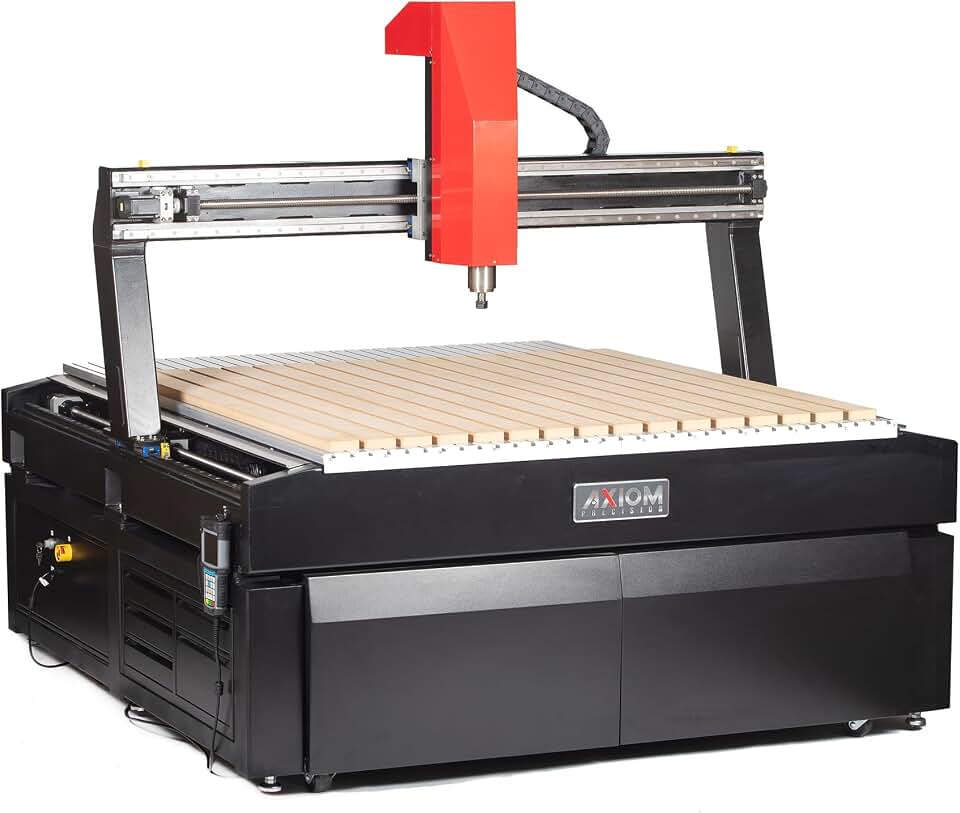
AR25-Elite Large Format CNC
- Huge 60 inch by 60 inch cutting area
- 3 HP motor for high-demand work
- 220V single phase with 15A requirement
- handles oversized projects with ease
- built for serious production capability
Buy on Amazon
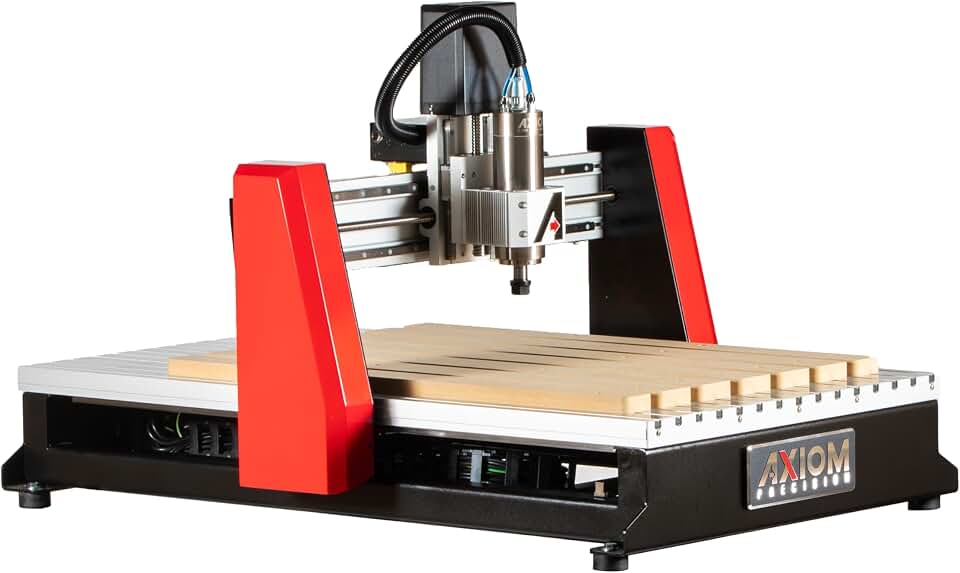
AR6-PRO V6 CNC Router
- 24 inch by 36 inch cutting area
- 220V single phase power
- 10A efficient operation
- accurate results for custom parts
- a versatile choice for growing workshops
Buy on Amazon

ICONIC-4 Compact CNC
- 24 inch by 24 inch work area
- 220V single phase power
- 15A electrical setup
- compact size for smaller shop spaces
- reliable precision for everyday routing tasks
Buy on Amazon

ICONIC-6 CNC Router
- 24 inch by 36 inch workspace
- 115V single phase power
- 15A setup for convenient use
- accurate cutting for custom woodworking
- practical choice for home and light pro shops
Buy on Amazon

AR16-Elite Precision CNC
- 48 inch by 48 inch cutting area
- 230V single phase power
- 15A requirement for strong performance
- ideal for larger detailed projects
- delivers dependable precision and control
Buy on Amazon
Used Axiom CNC Inspection Checklist
A used Axiom CNC can be a smart buy if the frame is square, the spindle is healthy, the controller boots, all axes home cleanly, software licenses transfer, and accessories are included. Used machines often look clean in photos, but rail dust, crash marks, loose couplers, and missing collets tell the real story.
- Check spindle runout with a dial indicator if the seller allows it.
- Inspect linear rails, ball screws, couplers, and gantry plates for crash damage or gritty motion.
- Power on the controller, home the machine, jog every axis, and listen for grinding or binding.
- Run a small sample cut in MDF or plywood and measure the result with calipers.
- Ask whether the machine was used for MDF, aluminum, production work, or light hobby work.
- Confirm that the pendant, cables, dust shoe, collets, clamps, touch plate, manuals, and software details are included.
- Verify pickup, palletizing, freight cost, liftgate needs, warranty status, and return terms before payment.
The biggest used-buying mistake is skipping a cut test. A machine can jog smoothly with no load, then lose accuracy under cutting force because a set screw, coupler, belt, bearing, or axis drive has play.
Software, Materials, and Accessories
An Axiom CNC workflow usually starts in CAD/CAM software, moves through a controller-compatible post-processor, and ends at the machine with workholding, zeroing, test motion, dust collection, and supervised cutting. The workflow is simple after repetition, but the first mistake often happens before the bit touches the wood.
CAD/CAM Software and Controller Workflow
Axiom CNC software commonly involves Vectric VCarve Desktop, VCarve Pro, Aspire, Fusion 360, or another CAD/CAM package that can output compatible G-code. Vectric’s software product pages explain the difference between VCarve and Aspire, which matters if you need 3D relief modeling rather than signs, pockets, and profiles.
The controller workflow is design, toolpath, post-process, transfer file, clamp material, install bit, set X/Y/Z zero, preview or air cut, start dust collection, run the job, then inspect the part. Beginners often choose the wrong post-processor, forget to set Z-zero, mix inch and metric units, or enter 0.250″ for a bit that actually measures slightly smaller.
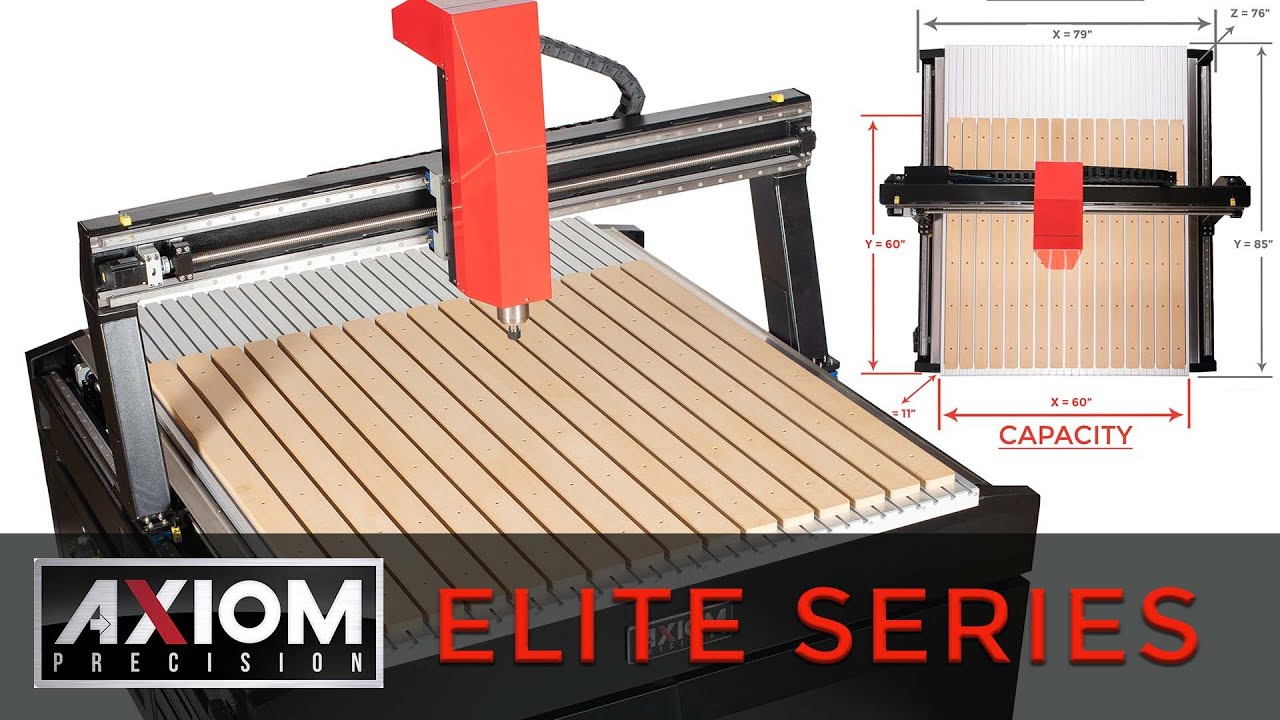
Watch this CNC router workflow example before your first paid project so the movement, sound, dust, and job sequence feel less abstract.
Materials, Tooling, Workholding, and Dust Collection
Wood and sheet goods are the strongest fit for most Axiom CNC router owners: hardwood, softwood, MDF, plywood, Baltic birch, melamine, veneered panels, and glued panels. MDF cuts consistently but creates fine dust; plywood benefits from compression bits; hardwood needs sharp carbide and sensible depth of cut to avoid burning.
Plastics and acrylic need sharp single-flute or O-flute bits, strong chip evacuation, and feed rates that make chips instead of melted strings. Acrylic gives off a sharp, hot-plastic smell when feeds are wrong, and the chips can weld back into the cut if the bit rubs instead of shears.
Light aluminum cutting is possible on some Axiom CNC setups, but it rewards shallow passes, short tools, clean chips, rigid clamping, and patient feed tuning. If the cutter squeals, loads up, or throws powder instead of chips, stop and fix the setup before the bit snaps or the part shifts.
Accessory priorities should include ER collets, end mills, V-bits, compression bits, ball nose bits, surfacing bits, O-flute bits, T-track clamps, cam clamps, low-profile clamps, threaded inserts, double-sided CNC tape, a touch plate, calipers, a square, a dial indicator, and a tram gauge. For deeper router setup context around manual routing accessories, this router table guide pairs well with CNC planning.
Dust collection setup should be planned around hose size, dust shoe clearance, static control, filter quality, and where the hose naturally wants to pull during long Y-axis moves. A stiff hose that drags across the gantry can shift light workholding or rub the Z-axis, so suspend it overhead with enough slack for full travel.
Axiom CNC vs Alternatives
An Axiom CNC comparison should look at rigidity, controller workflow, assembly effort, software ecosystem, work area, spindle package, dealer support, accessory cost, and resale value. Price alone can mislead because a cheaper CNC may need more upgrades before it cuts as cleanly or reliably in a busy shop.
Axiom vs Shapeoko and Onefinity
Axiom vs Shapeoko usually comes down to turnkey shop feel versus a lower-entry ecosystem with a large user community. Shapeoko machines are attractive for users who value Carbide 3D’s software path and community help, while Axiom appeals to buyers who want dealer-style buying and heavier shop-machine positioning.
Axiom vs Onefinity is often a comparison between a traditional CNC router frame and a modular prosumer system with a strong user base. Onefinity can suit hands-on buyers who like modular setup, while Axiom may suit shops that prefer a more conventional table, gantry, pendant-style workflow, and retailer support.
Axiom vs Shark, Laguna IQ, ShopBot, and X-Carve Pro
Axiom vs Shark CNC often matters to woodworkers buying through retail channels. Shark CNC models can be friendly and accessible, while Axiom tends to attract buyers who care more about frame feel, repeatability, and moving into a heavier small-shop machine.
Axiom vs Laguna IQ is a closer woodworking-shop comparison because both brands are considered by buyers wanting more than a light hobby router. Compare spindle power, footprint, dust collection, stand options, service access, dealer terms, and the real cost of getting the machine ready for production.
Axiom vs ShopBot comes up in education, prototyping, and professional desktop CNC discussions. ShopBot has a long support history and an established user base, while Axiom offers several compact-to-large work area choices that may fit a woodshop layout better.
X-Carve Pro comparison buyers should compare workflow and software comfort as much as metal thickness or bed size. Inventables has a beginner-friendly software path, while Axiom may appeal more to users who already expect VCarve, Aspire, Fusion 360, G-code files, and pendant-style operation.
If you’re still weighing a broader CNC router purchase, this CNC router guide helps compare machine classes before picking a brand. The expert shortcut is to compare the whole system: machine, software, dust, tooling, workholding, power, training time, and support.
Ownership and Troubleshooting Checklist
A reliable Axiom CNC setup depends on space, power, dust, workholding, clean files, trammed spindle, surfaced spoilboard, and a repeatable zeroing routine. Most bad first cuts come from setup choices, not a bad machine.
Shop Readiness and Beginner Setup Mistakes
Shop readiness starts with floor space, door clearance, circuit capacity, grounding, dust collector location, hose routing, computer or USB workflow, material storage, lighting, noise control, and emergency-stop access. Mark the machine footprint, operator zone, dust collector, and sheet goods path on the floor before ordering.
Beginner setup mistakes include confusing work area with total footprint, buying a 220V model without an outlet, using dull bits, skipping spoilboard surfacing, clamping in the toolpath, cutting too deep in one pass, and ignoring the toolpath preview. A good workaround is to run every new setup as a shallow air cut with one hand near the stop before cutting material.
Practical notes from real-world use: the machine will teach you through sound and surface finish. A clean cut has a steady hiss and crisp chips; burning smells sweet and smoky, chatter sounds like a zipper rattling on metal, and a loose workpiece makes a dull knocking sound that means stop now.
Mechanical, Electrical, and Cut Quality Fixes
Mechanical issues usually show up as parts that measure wrong, circles that aren’t round, ridges after surfacing, or repeated errors in one direction. Check loose couplers, gantry square, dirty linear rails, ball screw contamination, spindle tram, collet wear, bit stickout, and table flatness before blaming the file.
Electrical and control problems can appear as missed steps, random job stops, controller glitches, or breaker trips. Static from dust hoses, poor grounding, wrong voltage, overloaded circuits, loose USB or file-transfer media, and bad emergency-stop placement all create faults that look mysterious until you isolate them one at a time.
Cut quality fixes start with the symptom: burning means feed too slow, RPM too high, or a dull bit; tearout points to bit geometry or toolpath direction; chatter points to poor clamping, long stickout, or aggressive depth; fuzz on MDF or plywood points to tooling, feed, or material quality. Change one variable per test cut or you won’t know what solved the problem.
- Before buying an Axiom CNC, check: work area, total footprint, voltage, amperage, spindle power, controller workflow, software, dust collection, freight delivery, warranty, and accessory costs.
- Before the first cut, check: bit tightness, collet cleanliness, material thickness, Z-zero location, clamps, toolpath preview, dust collection, and emergency-stop access.
- Before paid work, check: repeatability, squareness, spoilboard flatness, known-good post-processor, proven feeds and speeds, spare bits, and backup workholding.
The best buying decision is the Axiom CNC router that fits your real projects, your power supply, your dust system, and your patience for setup. If you find an axiom cnc for sale at a good price, pause long enough to verify the model, voltage, accessories, shipping terms, warranty, and whether your shop can support the machine from day one.
FAQs
Are Axiom CNC Machines Good?
Yes, Axiom CNC machines are generally considered good for hobbyists, small shops, and light production work. They offer solid build quality, user-friendly controls, and reliable performance for wood, plastic, and some metal projects.
How Much Does An Axiom CNC Cost?
An Axiom CNC machine usually costs from a few thousand dollars to well over ten thousand dollars, depending on the model and size. Entry-level machines are more affordable, while larger or more advanced systems cost significantly more.
Where Can I Find An Axiom CNC For Sale?
You can find an Axiom CNC for sale through the official Axiom Precision website, authorized dealers, and sometimes on used equipment marketplaces. Buying from a reputable seller helps ensure you get the right machine, accessories, and support.
What Software Does Axiom CNC Use?
Axiom CNC machines commonly work with popular CAD/CAM software and use controller software that supports standard CNC workflows. Many users pair them with programs like VCarve, Aspire, Fusion 360, or similar tools depending on the project.
Can An Axiom CNC Cut Aluminum?
Yes, an Axiom CNC can cut aluminum when it is set up correctly and used with the right tooling, speeds, and feed rates. For best results, use shallow passes, proper lubrication, and a rigid workholding setup to reduce chatter.